

RULE LIBRARY / THRESHOLD
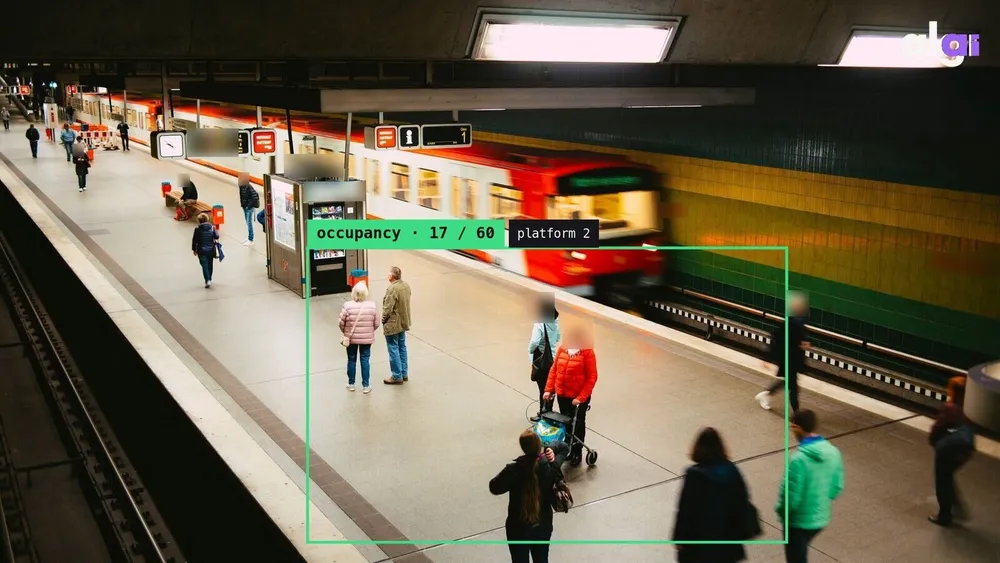
Capacity Control
Automatic alert and reporting when maximum person count is exceeded.
- ✓ Extra hardware optional
- ✓ Live the same day
- ✓ GDPR-ready, anonymous
HOW IT RUNS ON EDGE
Camera to notification: the rule's pipeline
Footage is processed on the Edge device in your store or site: the model analyses frames in real time, an event is raised when the rule condition is met, and every notification channel fires at once.
source: RTSP · IP camera
infra: existing CCTV
extra hardware: optional
model: algi-count-v3
classes: person
processing: Edge device or ALGI server
rule: Capacity Control
expression: count > capacity
region: ROI defined
ACTIONS
Video is processed on an Algi Edge device or on ALGI AI servers; event records and snapshots reach the panel.
TECHNICAL · THRESHOLD
What it needs and how it works
Capacity Control ships as a ready-made rule and is configured for your site. The rule compares a measured value (count, occupancy, duration) with a defined threshold and raises an event when exceeded. Threshold and time window are tuned per site. Measurement runs in real time on Edge.
- Rule type
- threshold
- Solution line
- Algi Edge platform
- Hardware
- Existing IP cameras; processing on an Algi Edge device or ALGI AI servers
- Deployment
- Live the same day · Edge or on-prem
This rule is part of the Algi Edge platform rule set and runs on the IP cameras you already own.
How false alarms are reduced
Momentary fluctuations can trigger needlessly around the threshold. Hysteresis (dual thresholds), a minimum duration and smoothing provide stability.
Alert and action
The rule runs ready-made on Algi Edge; the alert reaches the dashboard, email and API/webhooks at once and can become a task in one click.
Ready-made analysis rules — more rules
ALL →CROWD_DETECTION
Crowd-Density Alert
Zone-based instant alert when density passes the threshold.
DURATION
Queue & Wait Analysis
Queue-time measurement at tills/desks; staff alerted past the threshold.
FLOW_RATE
Flow-Rate Tracking
People-flow speed in corridors and passages; bottlenecks spotted early.